

Synthetic reference → AI edit. Not a customer photo or real-photo conversion proof.
YOUR IMAGE IS JUST THE BEGINNING
Reimagine a room, explore an illustrated scene, or bring a sketch to life. Compare checked examples, then prepare a direction for your own image.
Choose and upload your image inside the workspace, then check your prompt, model and options before the next step.
Workspace preview · public generation and checkout are not open.
Preview an example
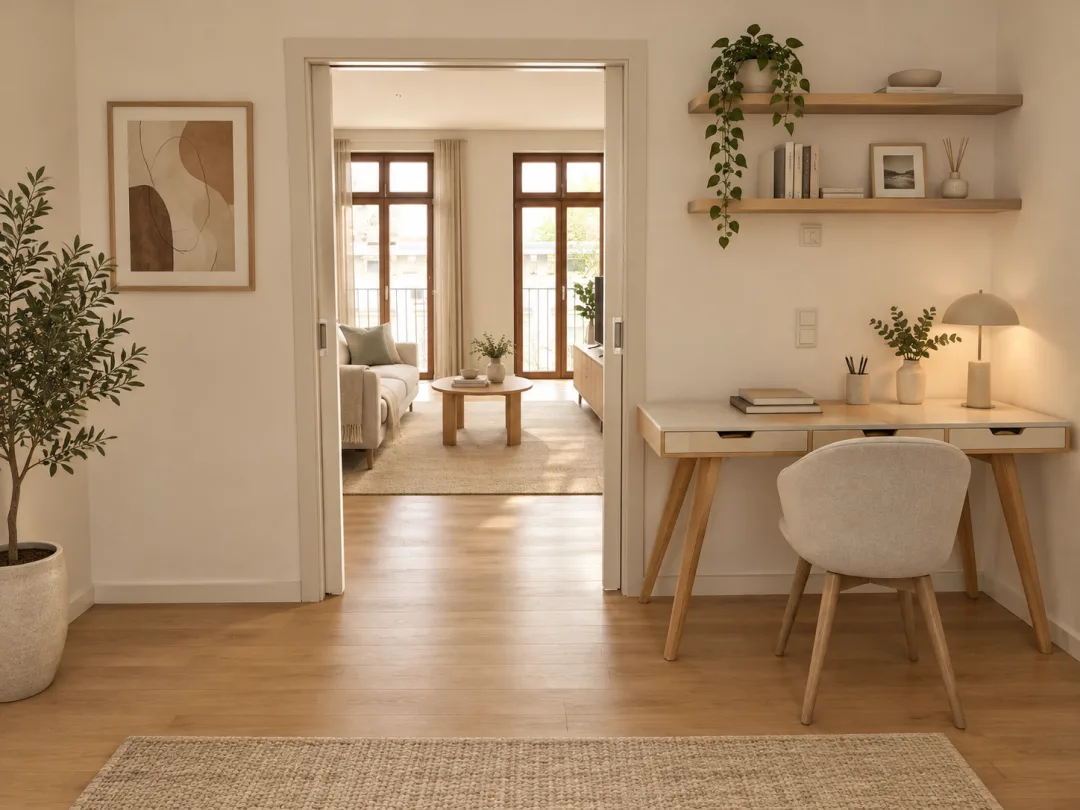
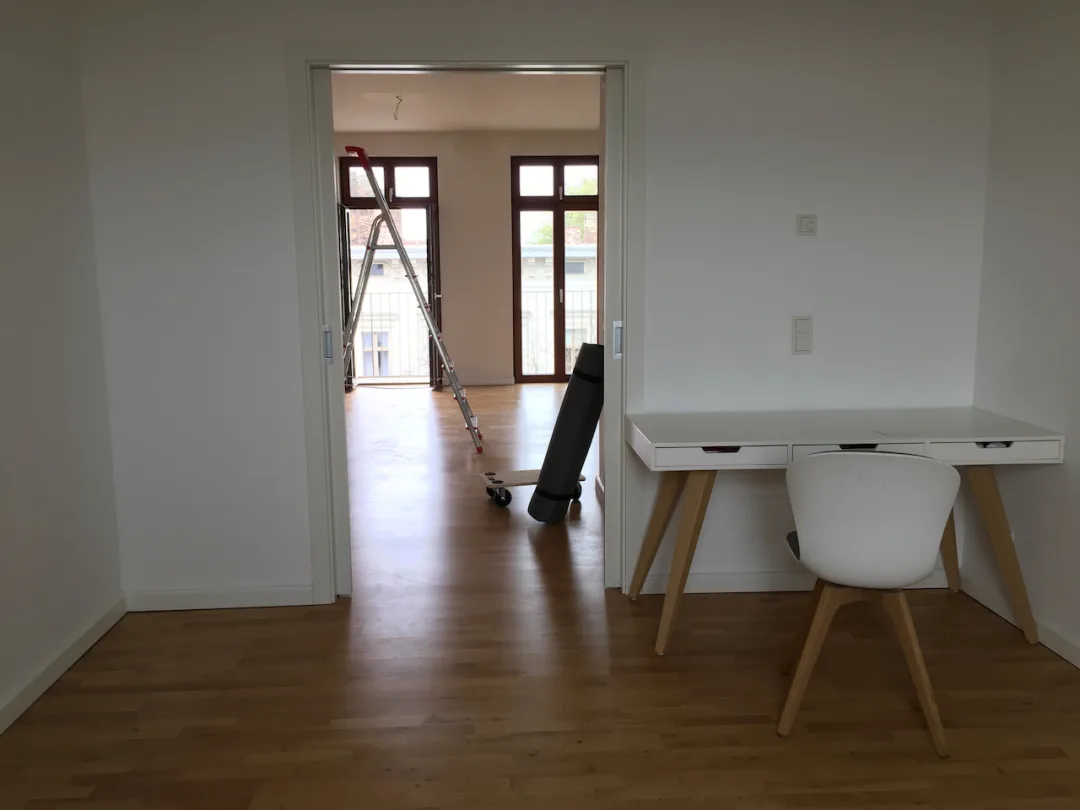
Source photo: SmashingIt99 · own work, CC0. View the original source and license. The paired result was tested with that photo through this project’s provider adapter. Stylization can change fine details and framing; this is not an identity or pixel-preservation guarantee.
A real work-corner photo was edited into an interior concept. The large opening, far windows and right-hand desk placement remain recognizable. Furniture, flooring, wall decoration and small objects were reinterpreted; the ladder and vacuum were removed. This is not an empty-room photograph, measured renovation plan or construction-accuracy guarantee.
A real work-corner photo. A warmer interior concept. Materials and smaller details may change.
MAKE THE DIRECTION YOURS
Choose a reference you have permission to use. Describe the change and check your draft; more settings are there when you need them.
References are checked locally before preview. Request preparation is available; public generation, checkout and the planned welcome allowance are not active.
SEE THE STARTING POINT. SEE THE CHANGE.
Compare the source and its result across people, products, spaces and illustration. Each tile keeps the original on the left and the edit on the right.
AI reference labels identify synthetic inputs, not customer photos. Original sketches are labelled separately; edits may redraw fine details. Explore the photographed examples too.
4 input/output studies · All edits
Synthetic reference → AI edit. Not a customer photo or real-photo conversion proof.
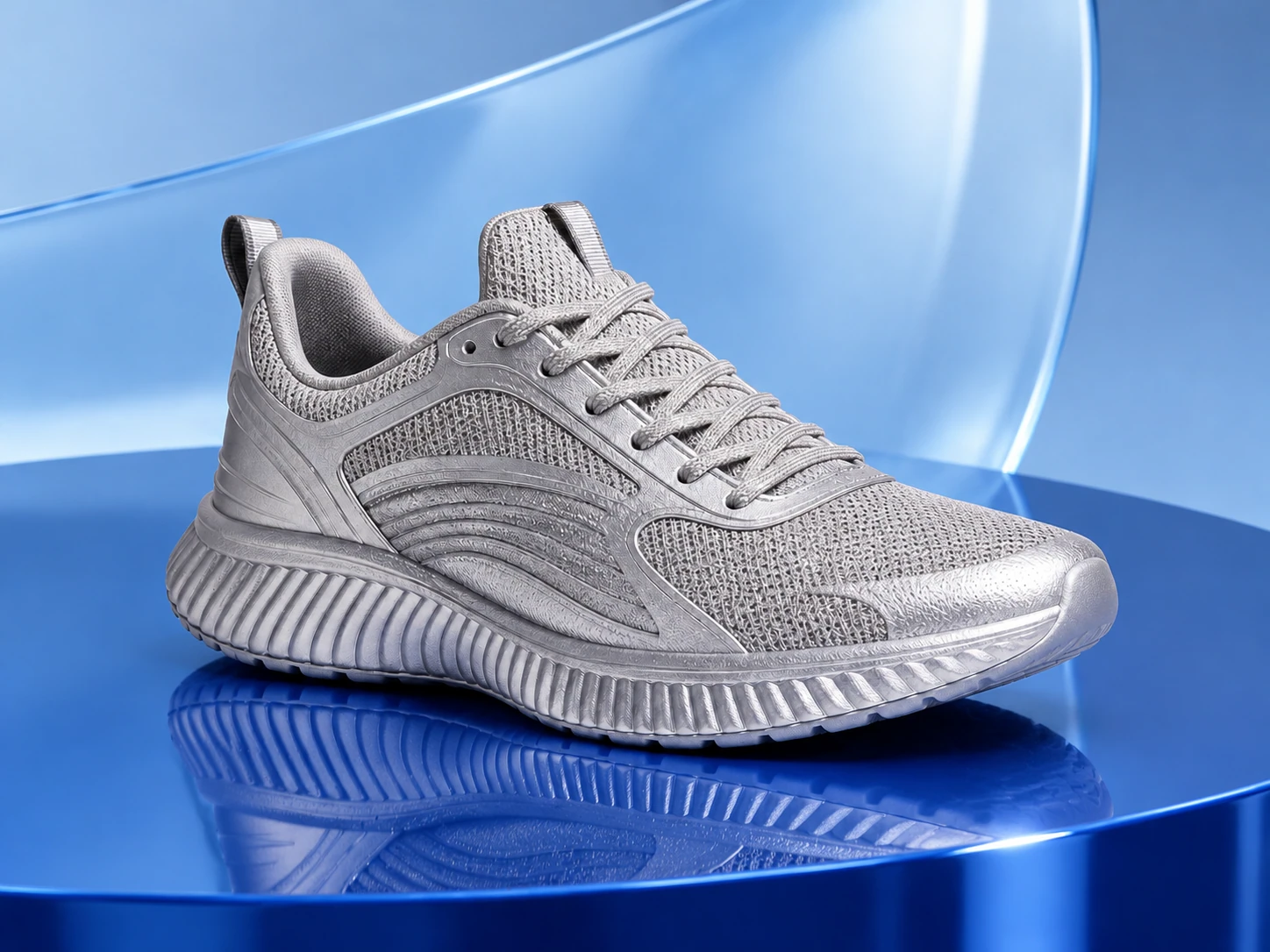
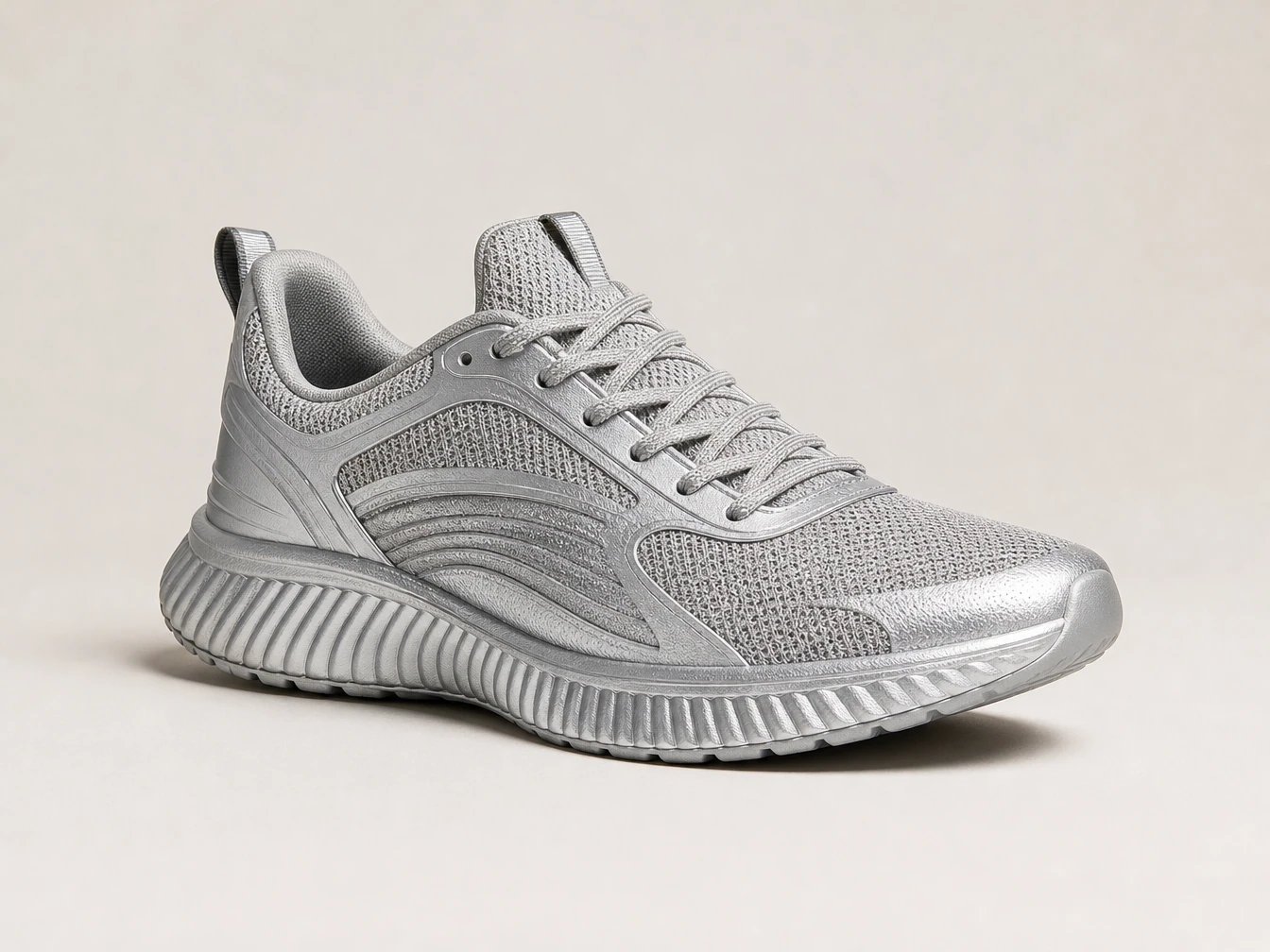
Synthetic reference → AI edit. Not a customer photo or real-photo conversion proof.
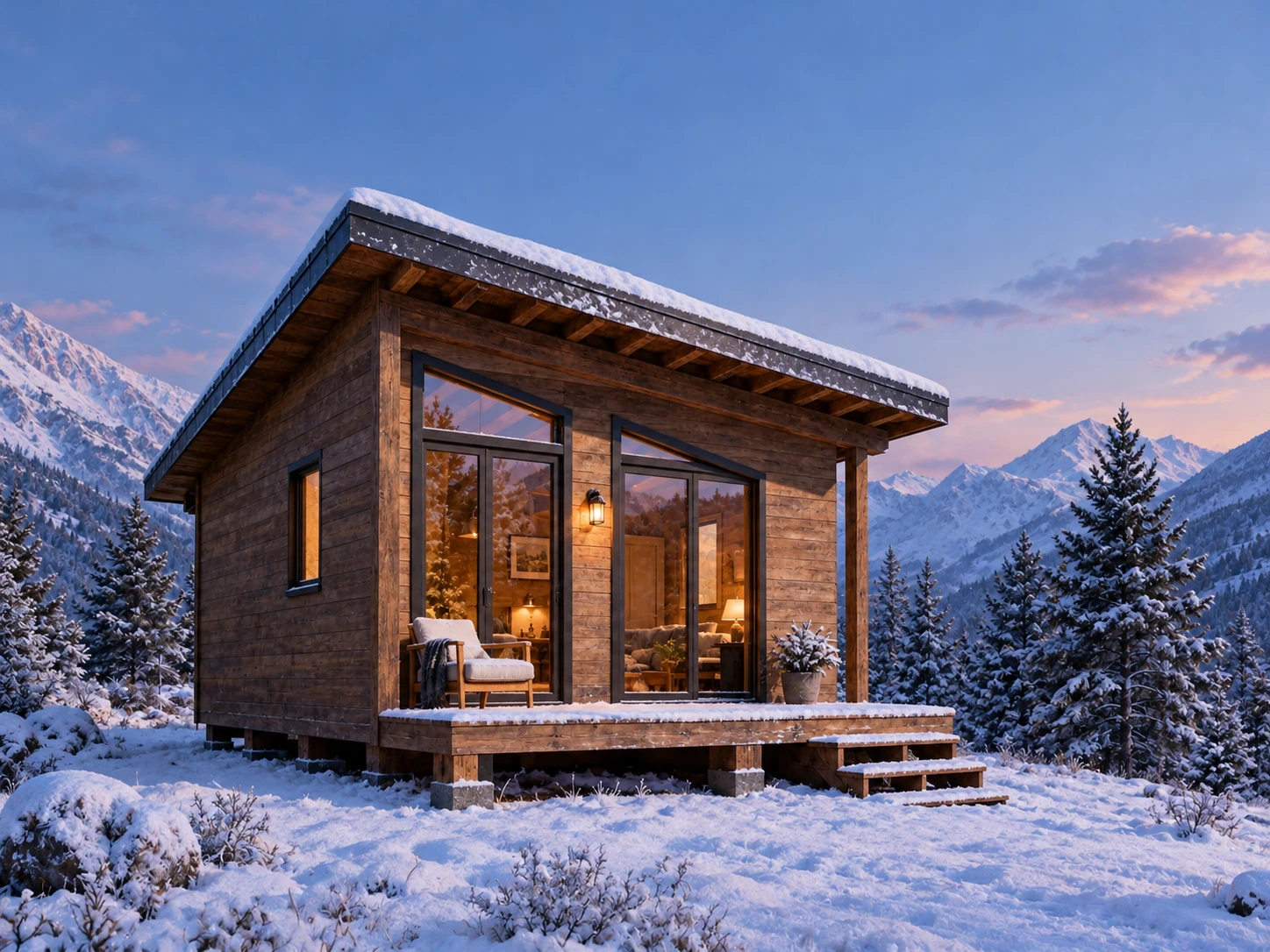
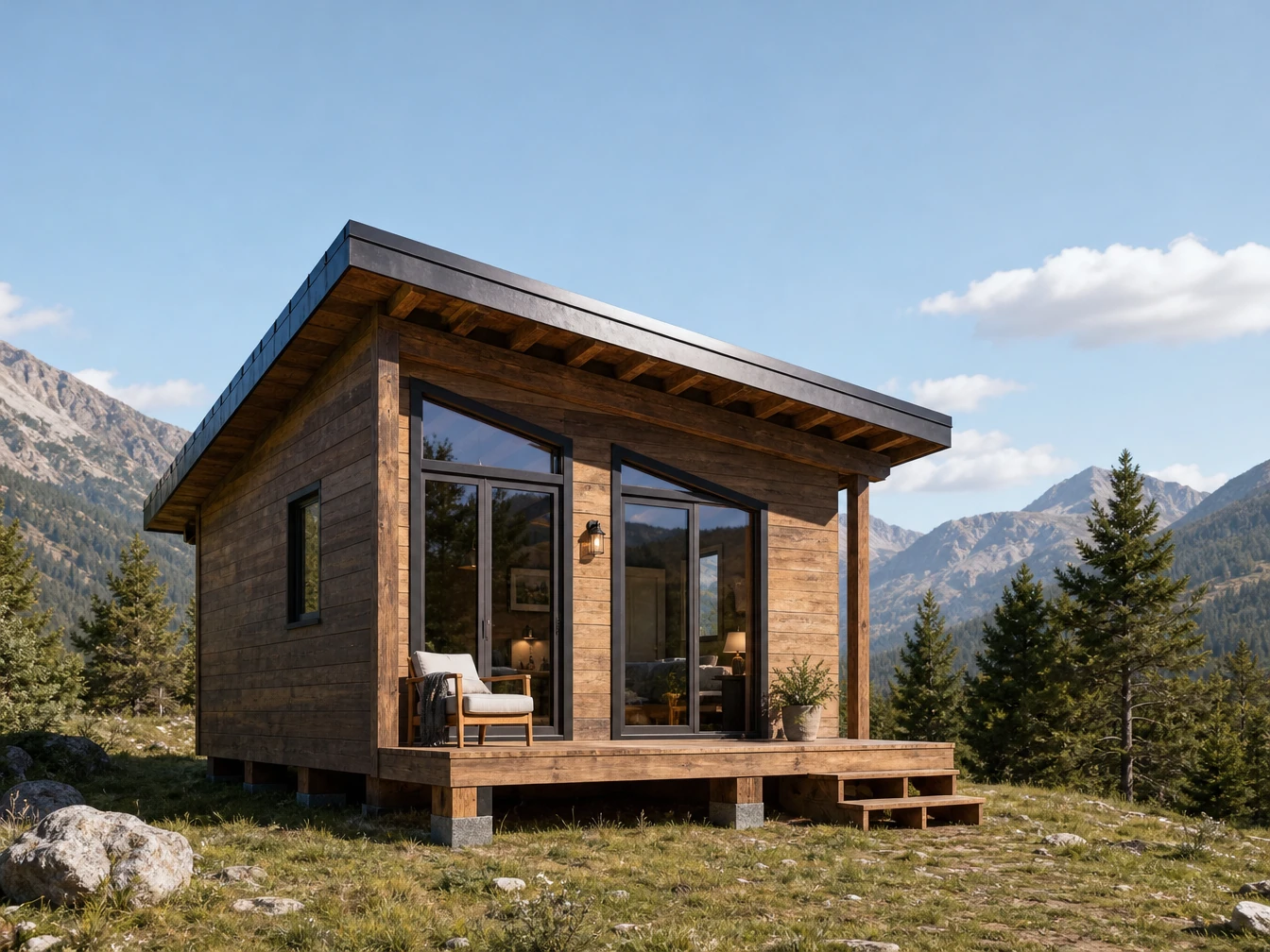
Synthetic reference → AI edit. Not a customer photo or real-photo conversion proof.
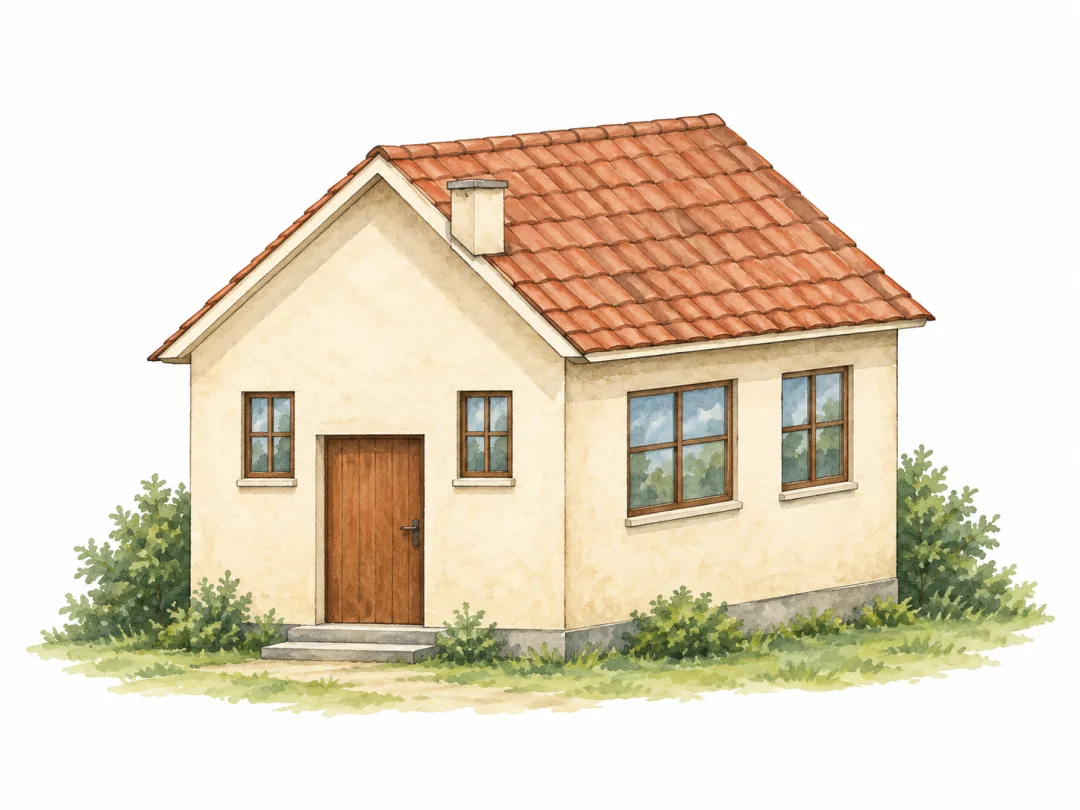
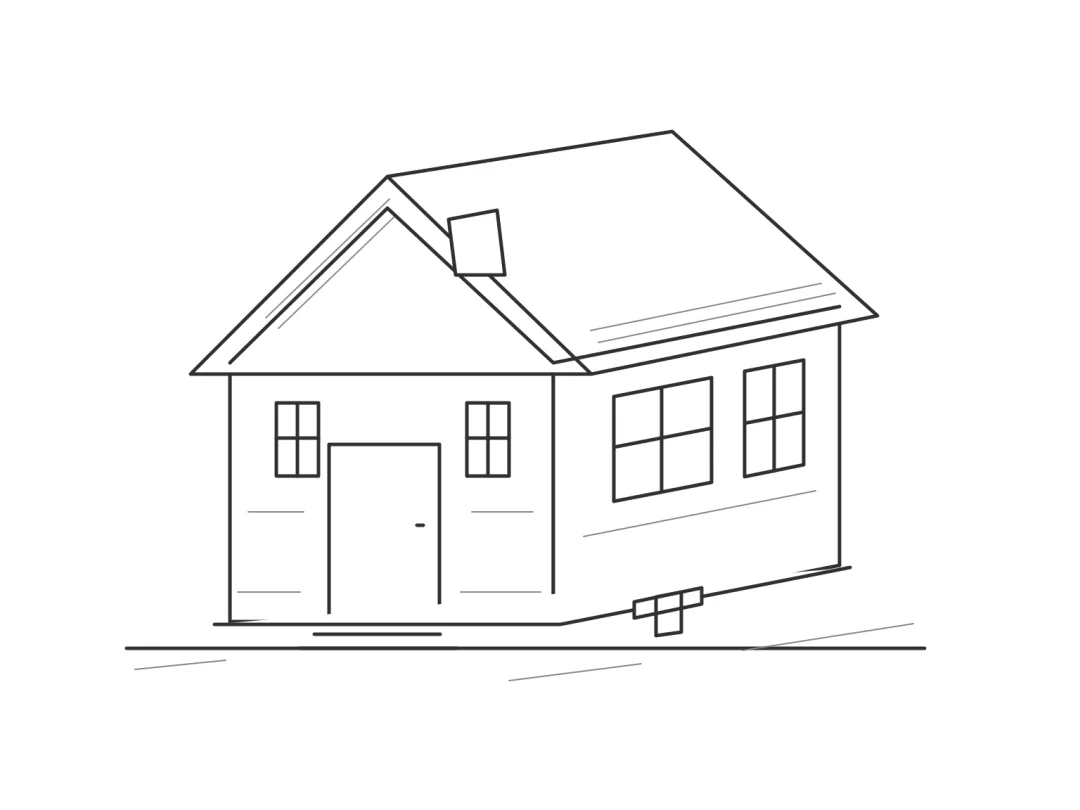
Project-authored sketch → reviewed AI illustration. Fine lines may change.

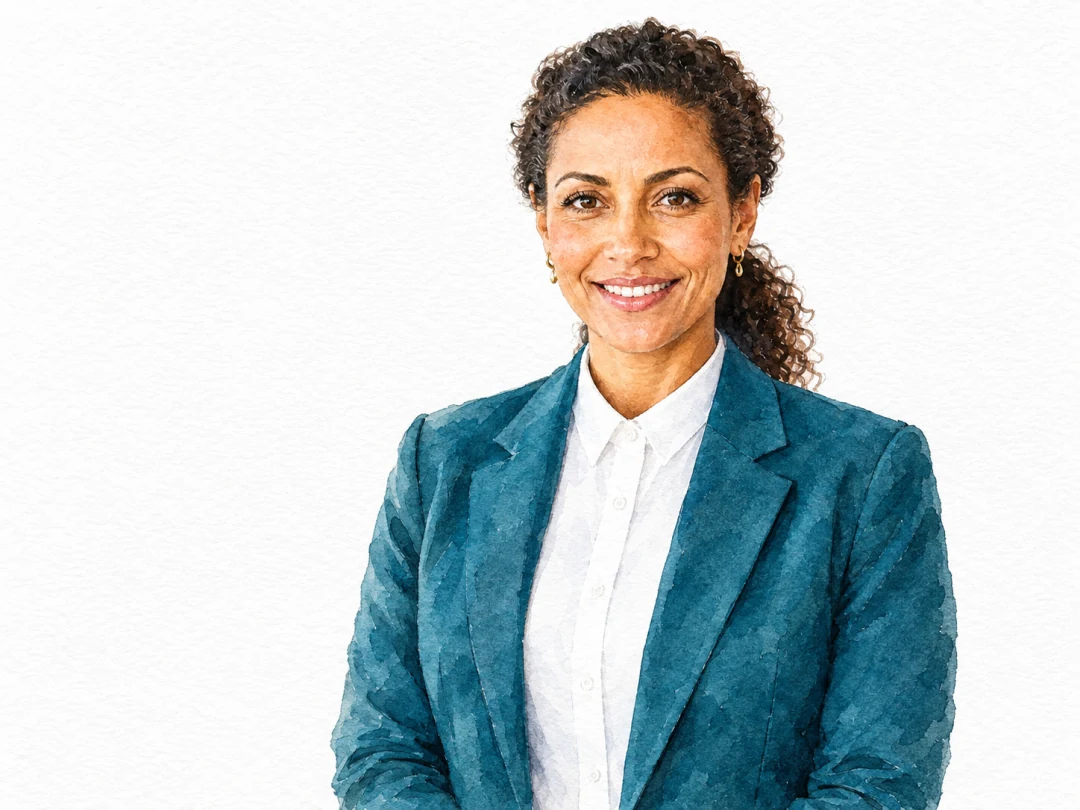

ONE INPUT. MULTIPLE DIRECTIONS.
The same AI-generated reference stays at the center. Each reviewed edit appears around it, so the starting point and the effect can be compared together. Different subjects are never substituted here.
Explore changes in style, scenes, materials and light—not just cartoons. This synthetic-reference study is not a customer photo or an identity-preservation guarantee.
Explore the checked examplesFIND YOUR VISUAL LANGUAGE
From expressive ink to gentle washes. Choose the direction that feels like you—not a look-alike of a particular artist or film.
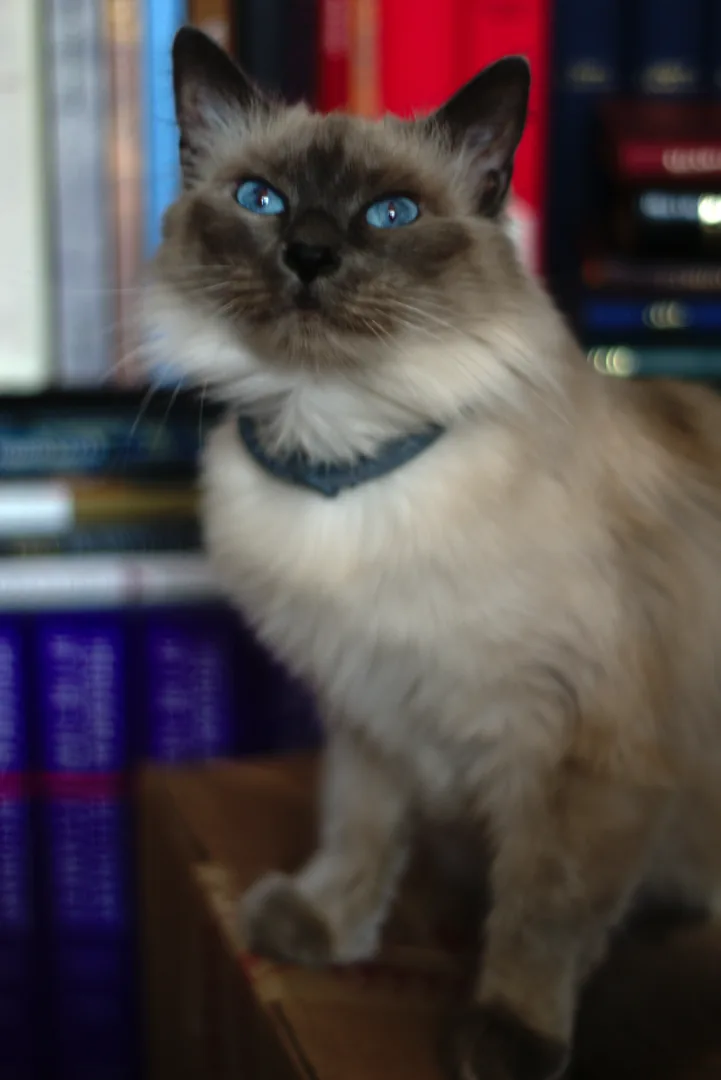
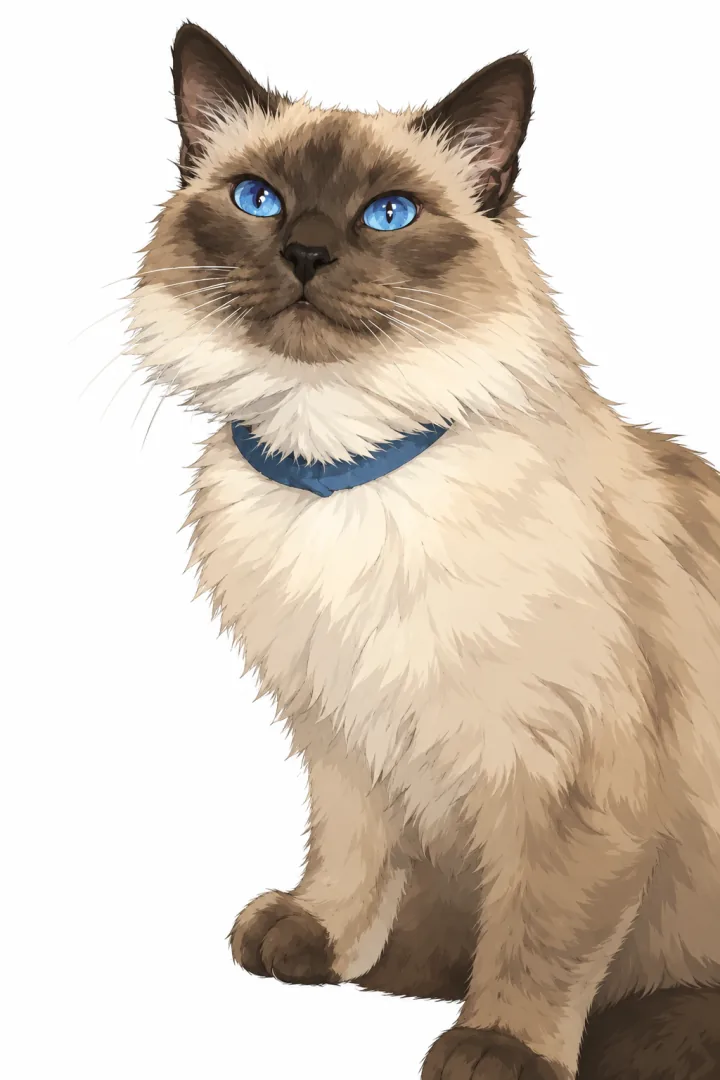
Fine lines. Painterly light. A familiar subject.
Owner-tested · GPT Image2
Clean shapes and a little more personality.
Owner-tested · GPT Image2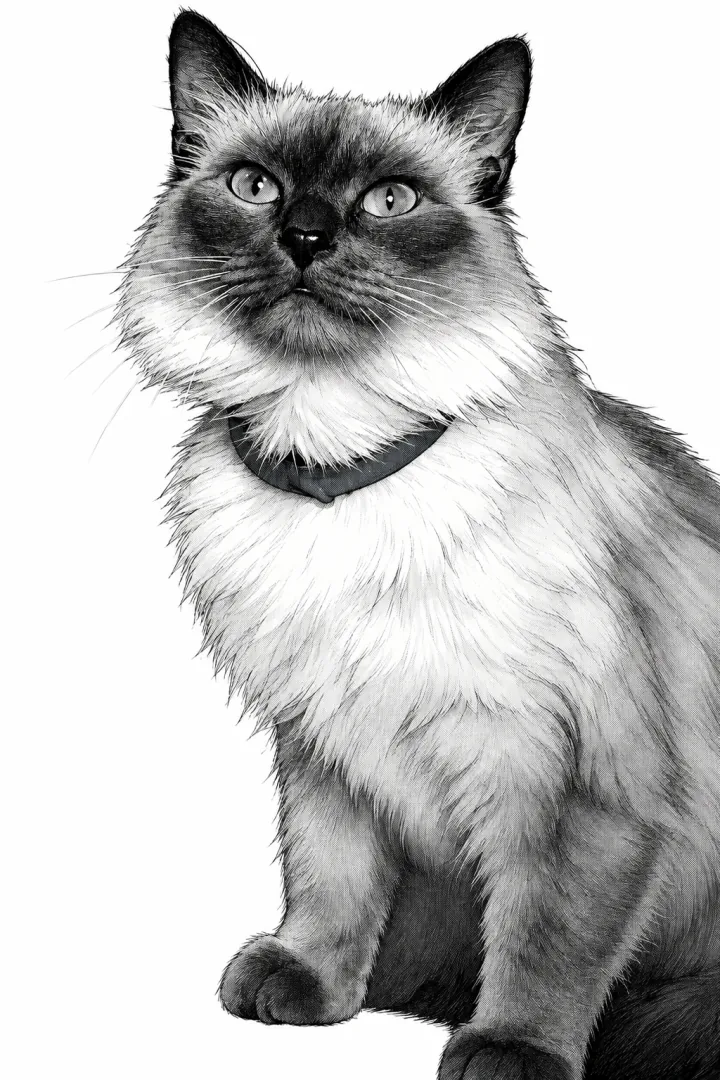
Expressive ink, screentones and bold contrast.
Owner-tested · GPT Image2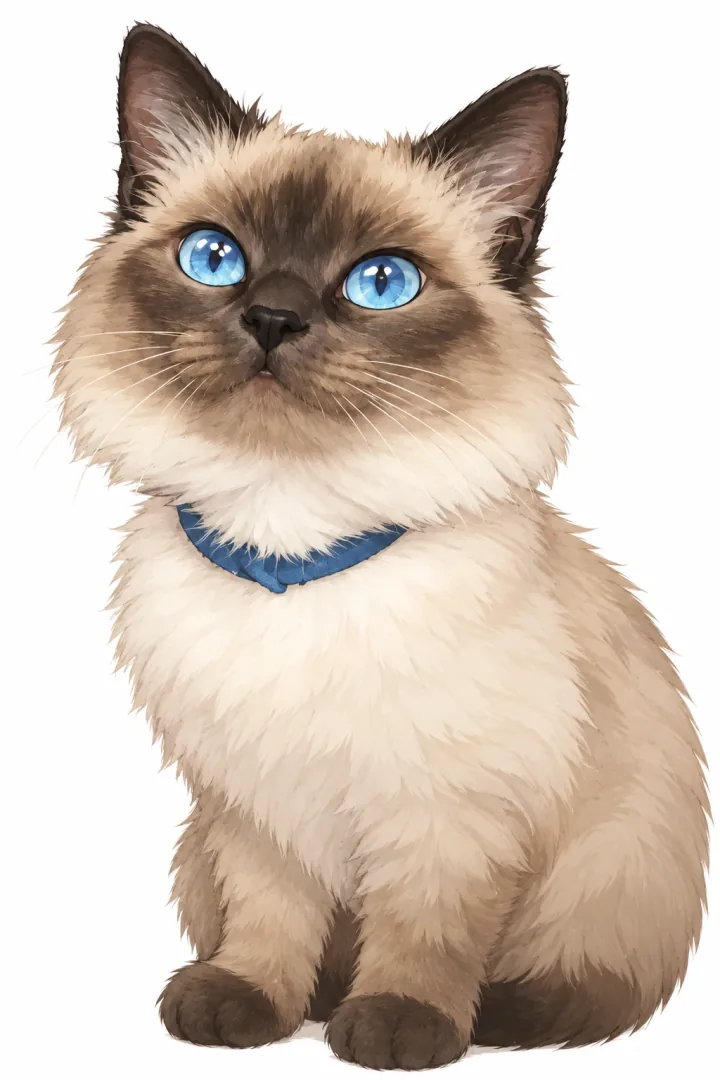
Small proportions. The same distinctive details.
Owner-tested · GPT Image2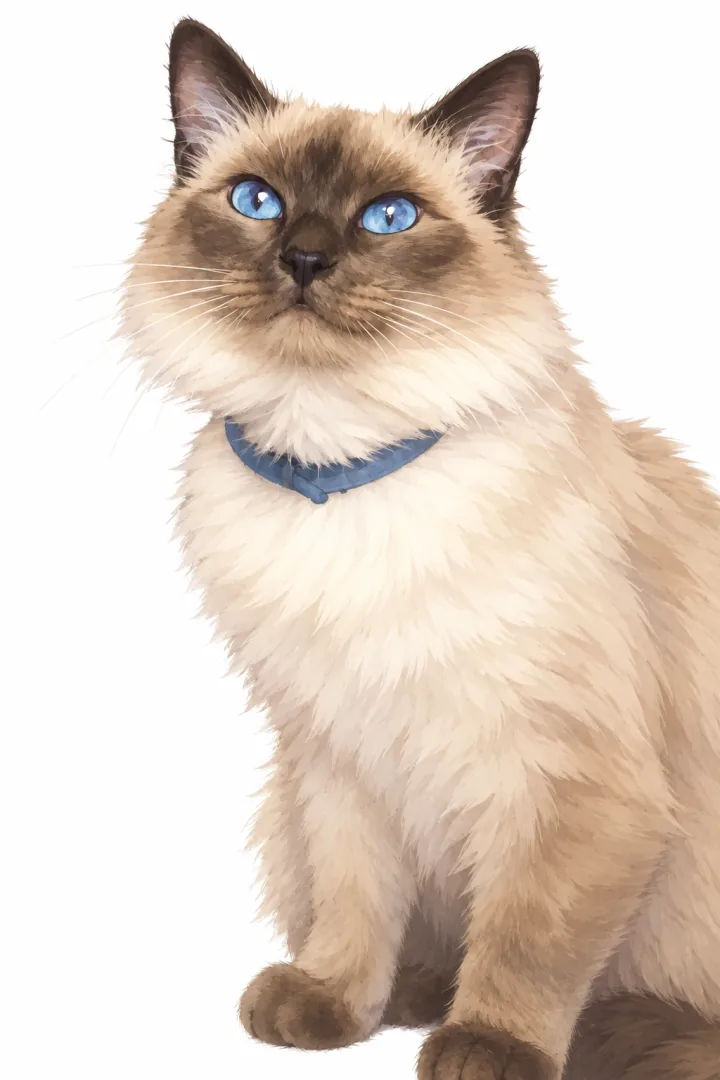
Soft colors with a gentler, playful feel.
Owner-tested · GPT Image2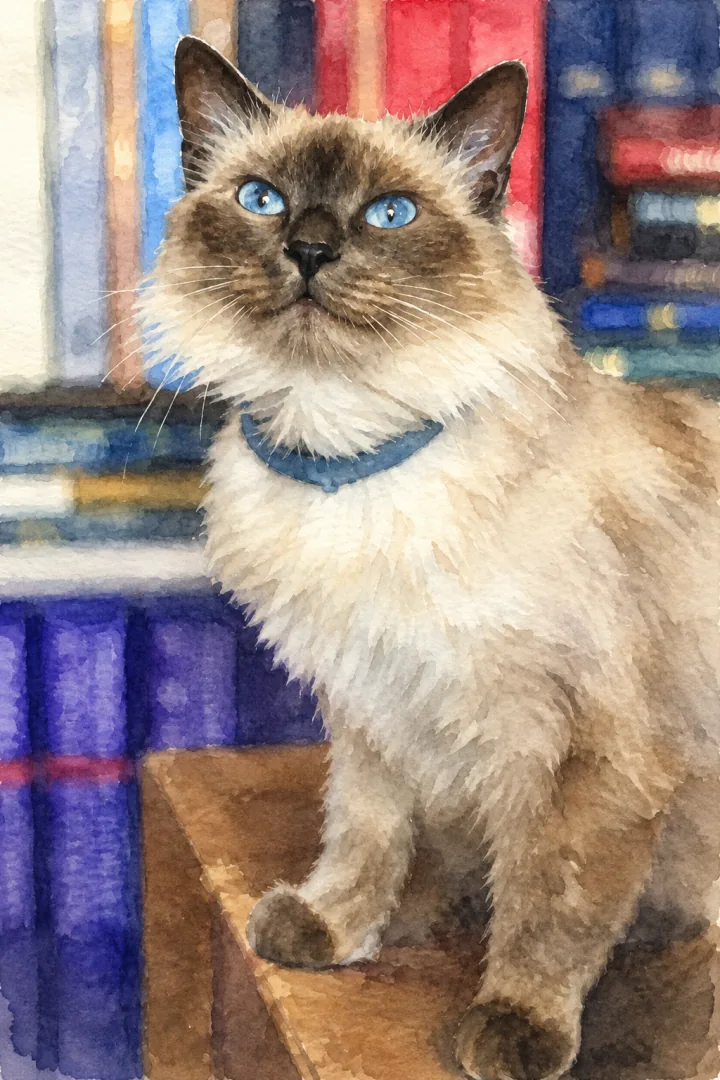
Translucent washes and softly textured edges.
Owner-tested · GPT Image2Style buttons prepare a prompt and model choice. They do not upload a photo, start a generation or spend credits. The cat photo source and example notes are listed with its gallery comparison below.
REAL INPUTS. NEW PERSPECTIVES.
The starting image. Its own interpretation. Compare the details, lighting and composition side by side.
8 examples · 6 image types
Source photo: SmashingIt99 · own work, CC0. View the original source and license. The paired result was tested with that photo through this project’s provider adapter. Stylization can change fine details and framing; this is not an identity or pixel-preservation guarantee.
A real work-corner photo was edited into an interior concept. The large opening, far windows and right-hand desk placement remain recognizable. Furniture, flooring, wall decoration and small objects were reinterpreted; the ladder and vacuum were removed. This is not an empty-room photograph, measured renovation plan or construction-accuracy guarantee.
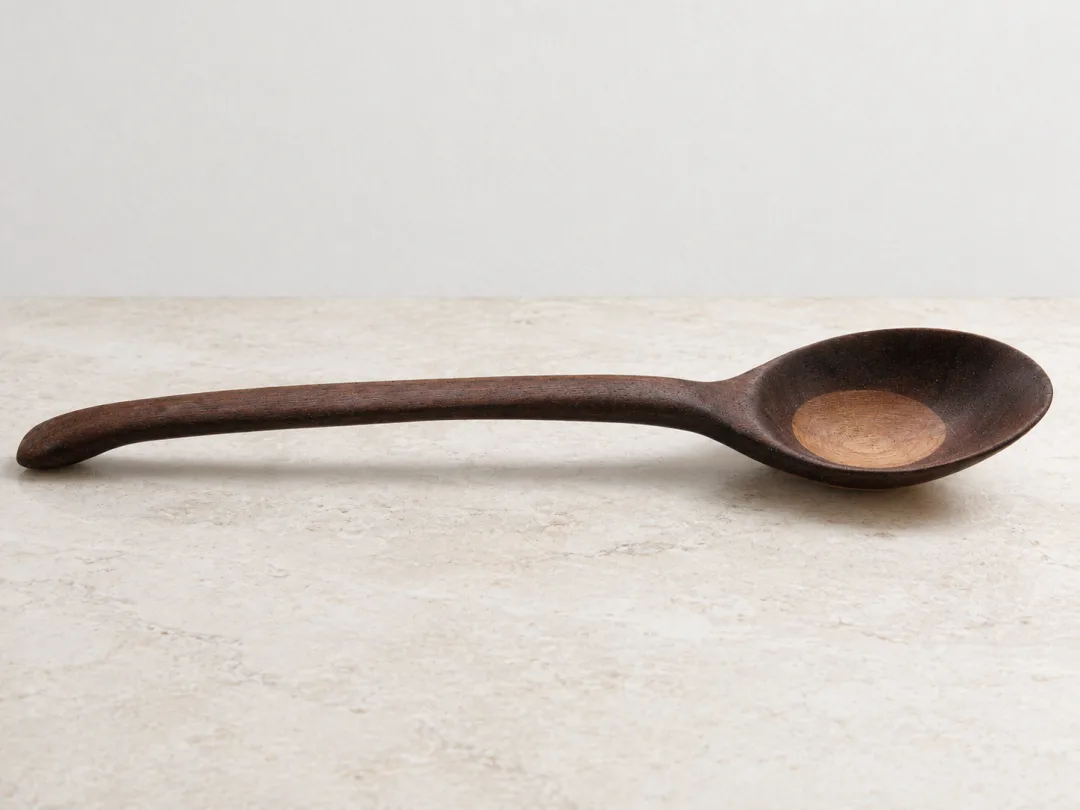
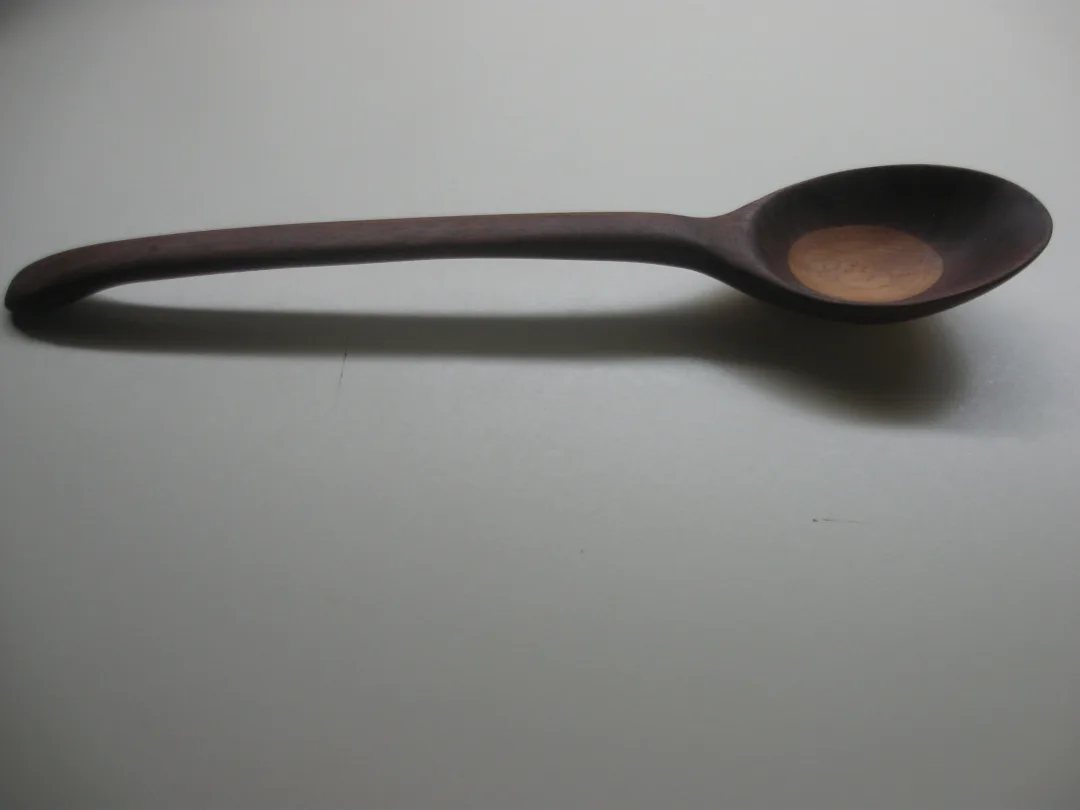
Source photo: Mflan1977 · own work, CC0. View the original source and license. The paired result was tested with that photo through this project’s provider adapter. Stylization can change fine details and framing; this is not an identity or pixel-preservation guarantee.
The original licensed photograph was supplied by its public image URL; the displayed before is a resized version of that same photo. One wooden spoon remains recognizable, with the handle on the left and bowl on the right. Background, light, wood appearance and fine contours were repainted. This is a generated scene-edit test, not a new physical photograph or a pixel, logo or packaging-text preservation guarantee.
Source sketch: Project-authored digital sketch. View the source sketch. The paired result was tested with that sketch through this project’s provider adapter. Stylization can change fine details and framing; this is not an identity or pixel-preservation guarantee.
The pitched roof, door and four-window arrangement remain recognizable. Individual outlines, the chimney, window panes and ground details were reinterpreted, and plants were added. This is an illustration study, not a photographed property or a construction plan.
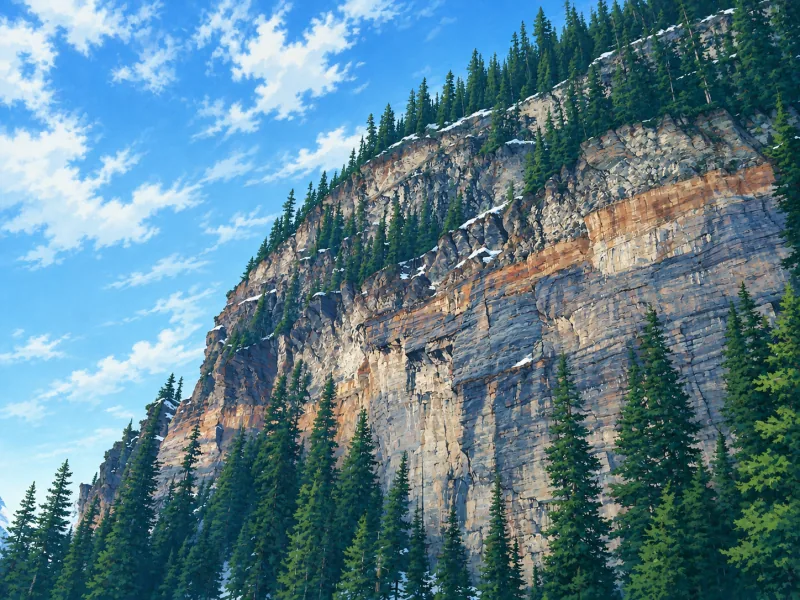
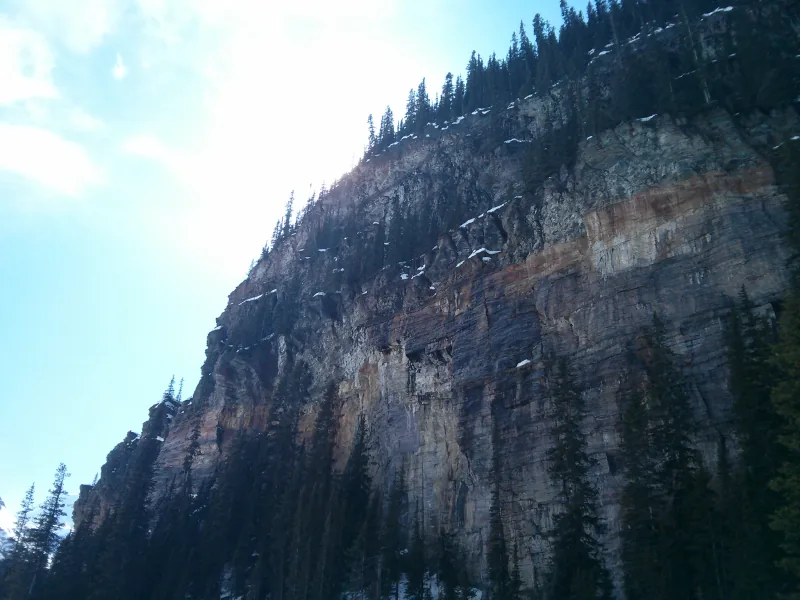
Source photo: Rschroeder1985. View the original source and license. The paired result was tested with that photo through this project’s provider adapter. Stylization can change fine details and framing; this is not an identity or pixel-preservation guarantee.
The cliff and conifer forest remain recognizable. Sky, lighting, individual trees and rock details were reinterpreted; no lake is visible in either view.
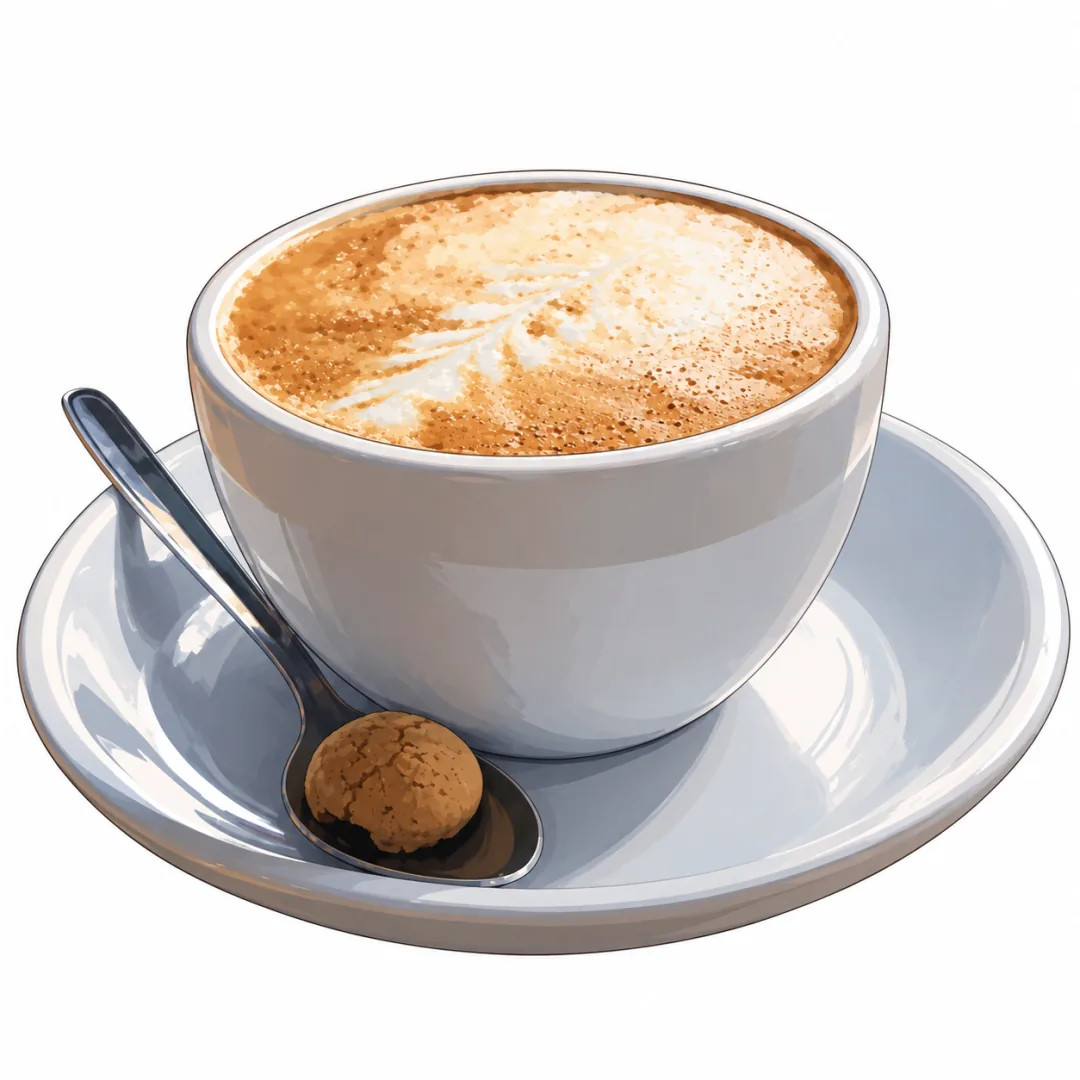
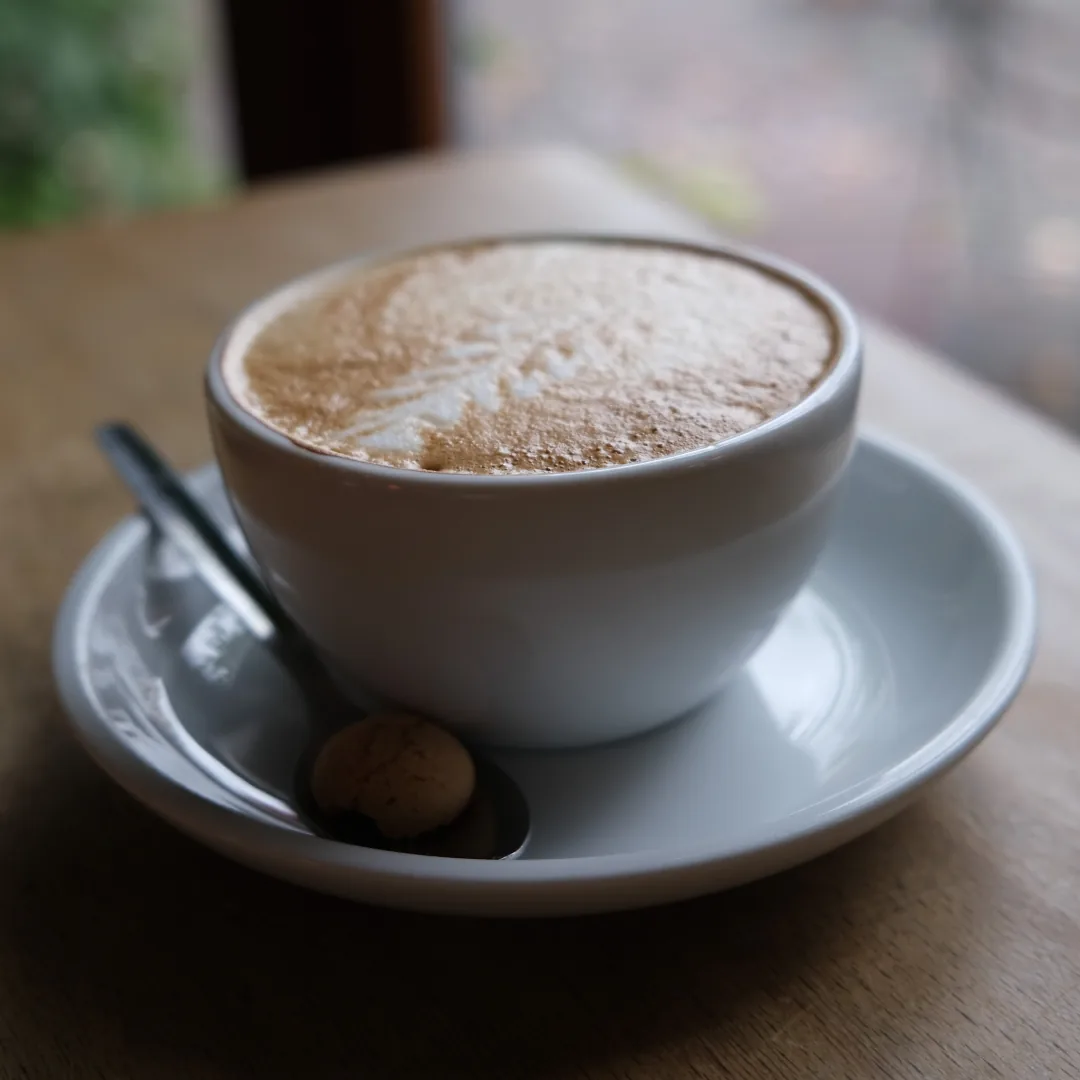
Source photo: Edward. View the original source and license. The paired result was tested with that photo through this project’s provider adapter. Stylization can change fine details and framing; this is not an identity or pixel-preservation guarantee.
The cup, saucer, spoon and biscuit remain recognizable. The tabletop and cafe background became white; foam and small contours were redrawn.
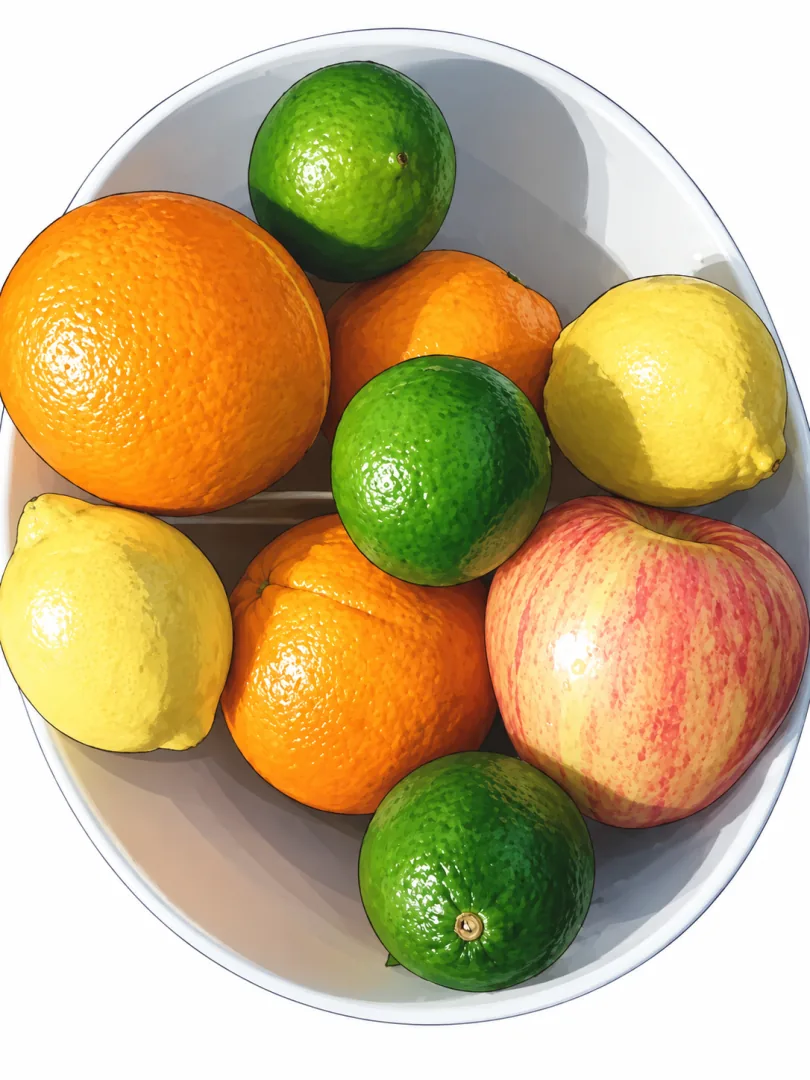
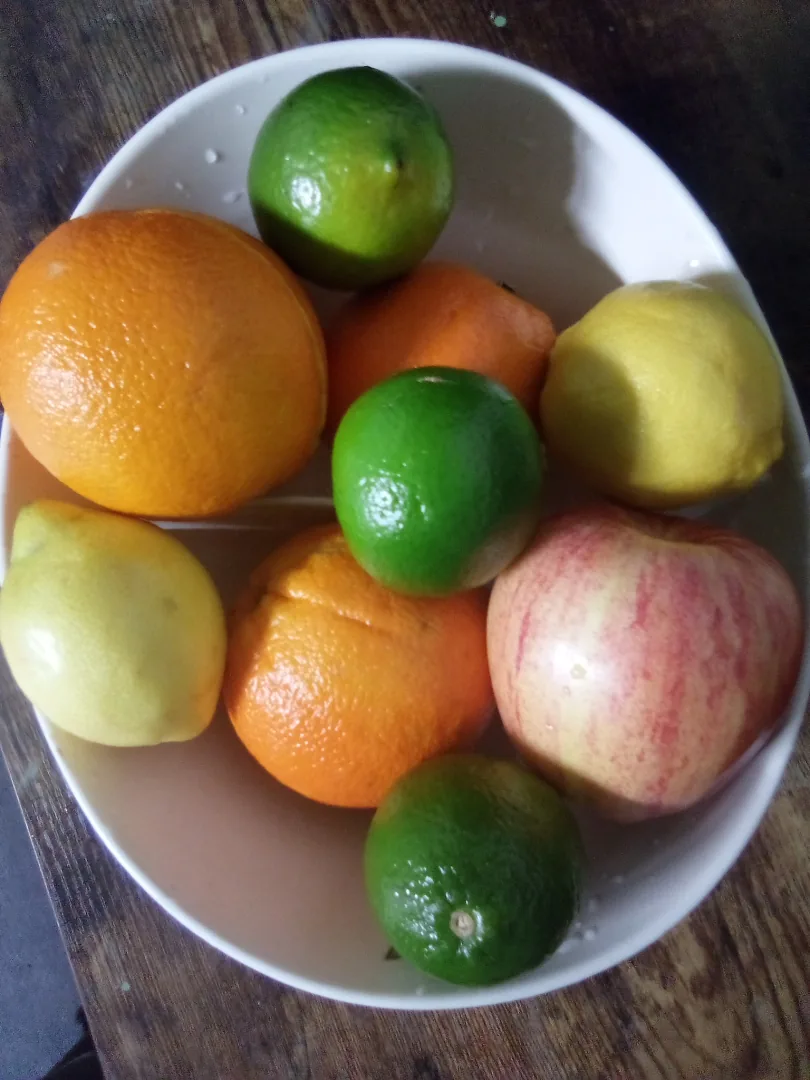
Source photo: Gerardolagunes. View the original source and license. The paired result was tested with that photo through this project’s provider adapter. Stylization can change fine details and framing; this is not an identity or pixel-preservation guarantee.
The bowl and colorful fruit arrangement remain recognizable. The background became white and some fruit shapes and varieties were reinterpreted; this is not a product-inventory preservation example.
Source photo: Aquinassixthway. View the original source and license. The paired result was tested with that photo through this project’s provider adapter. Stylization can change fine details and framing; this is not an identity or pixel-preservation guarantee.
The eyes, coat markings and blue collar remain recognizable. The model simplified the bookshelf background to white and redrew some ear and paw details.
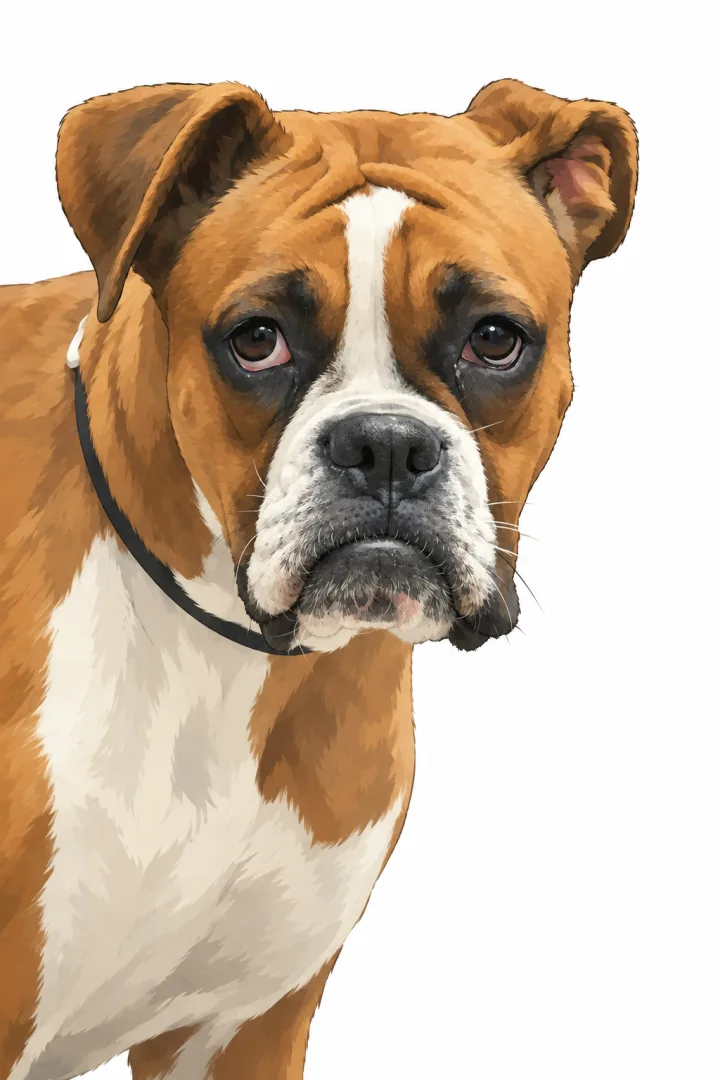
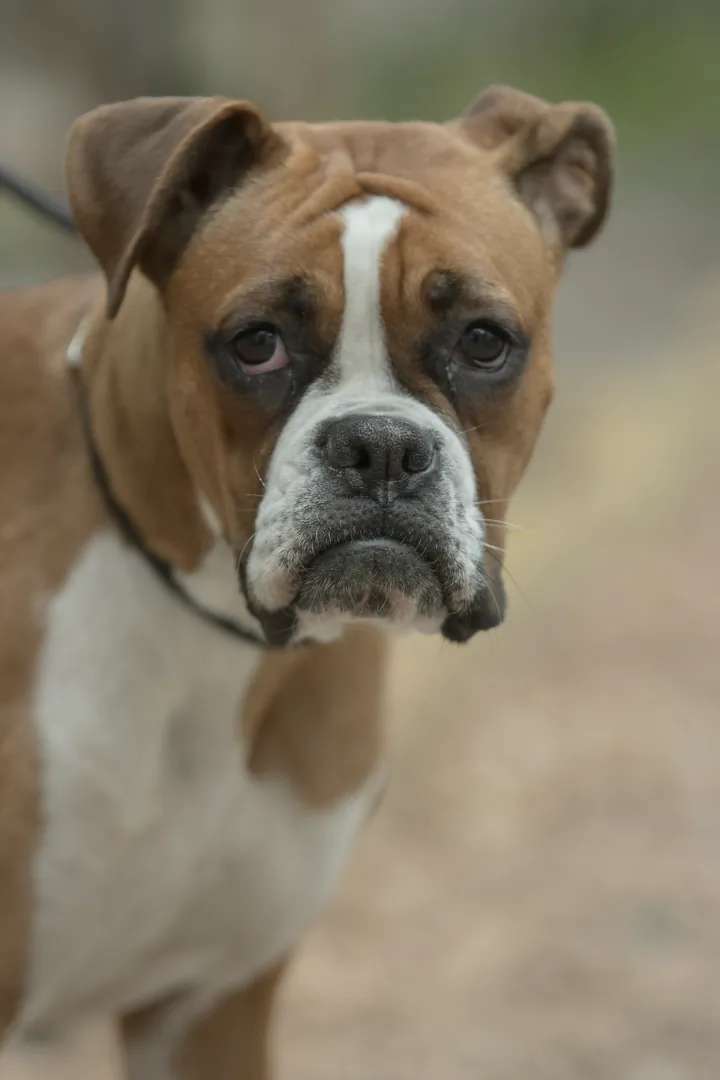
Source photo: Mostafameraji. View the original source and license. The paired result was tested with that photo through this project’s provider adapter. Stylization can change fine details and framing; this is not an identity or pixel-preservation guarantee.
The face markings and expression remain recognizable. The model replaced the outdoor background with white and reinterpreted fur and collar details.
IT’S IN THE DETAILS
Look beyond the overall style: compare the layout, silhouette and texture. Complete source and result images are linked below each checked pair.
SPACES & ATMOSPHERE
Compare the room outline and placement of the main objects. New materials and lighting may also change furniture and smaller details.
A checked source and result. Compare the difference.Source photo: SmashingIt99 · own work, CC0. View the original source and license. The paired result was tested with that photo through this project’s provider adapter. Stylization can change fine details and framing; this is not an identity or pixel-preservation guarantee.
A real work-corner photo was edited into an interior concept. The large opening, far windows and right-hand desk placement remain recognizable. Furniture, flooring, wall decoration and small objects were reinterpreted; the ladder and vacuum were removed. This is not an empty-room photograph, measured renovation plan or construction-accuracy guarantee.
OBJECTS & MATERIALS
Compare the spoon’s outline, handle and wood grain. Styling can alter surface texture and edges; this is not a pixel-perfect product reproduction.
A checked source and result. Compare the difference.Source photo: Mflan1977 · own work, CC0. View the original source and license. The paired result was tested with that photo through this project’s provider adapter. Stylization can change fine details and framing; this is not an identity or pixel-preservation guarantee.
The original licensed photograph was supplied by its public image URL; the displayed before is a resized version of that same photo. One wooden spoon remains recognizable, with the handle on the left and bowl on the right. Background, light, wood appearance and fine contours were repainted. This is a generated scene-edit test, not a new physical photograph or a pixel, logo or packaging-text preservation guarantee.
LESS GUESSWORK. MORE DIRECTION.
Checked illustration · not an editor screenshot
Use a static photo you own or have permission to edit. The workspace checks it before showing a preview.
Choose anime, cartoon or another direction. Describe what should stay recognizable and what can change.
Check your reference, model and settings. Preparing the request does not yet run a model or generate a download.
A LITTLE ROOM FOR YOUR NEXT IDEA
Explore the planned welcome trial, flexible credit packs and subscription options. Pricing is a preview; checkout and trial generation are not open yet.
Monthly subscription · monthly credits. Savings compare cost per credit with the same plan’s One-time pack; discounts vary by plan.
A focused way to explore your first direction.
Planned, not activated.
10 welcome edits, once
For a few ideas worth exploring.
100 credits per month
For your everyday creative workflow.
250 credits per month
More room for ambitious projects.
600 credits per month
Models and output settings use different credits. Review the planned usage and terms before choosing an option.
Compare plans and credit usageA FEW THINGS WORTH KNOWING
Real examples. Clear expectations. Your questions, answered.
Choose a photo you own or have permission to edit, then select a style such as Anime, Cartoon, Manga, Chibi, Kawaii or Watercolor. The style button adds a local prompt preset and model choice to the workspace; it does not upload an image or run a model. Check the details you want to preserve before preparing the request. Public AI generation is not open in this validation build; a prepared request is not a generated image.
Yes, you can prepare multiple references for models that support them. The limit is shown beside the upload control and changes with the selected model. Images are checked locally before preview. A prompt describing each reference’s role helps separate the subject, style and composition.
Choose by the task and the controls you need. Models differ in reference count, aspect ratios, resolution, output format and optional editing controls. The model directory describes those supported settings. These are verified interface capabilities, not a quality ranking or a claim that every model has been generation-tested.
Not yet. The plans and model credit usage are a preview, and a one-time welcome trial of 10 Economy edits is planned, not issued in this build. Checkout and public generation are not open; signing in does not grant credits. Paid generation will require a verified purchase and sufficient server-authorized balance. The separate local photo editor can apply and export on-device edits now; its results need a second check before preview or download.
Use a static PNG or JPEG within the file and dimension limits shown in the workspace. Invalid, animated or unsupported files are rejected. A local content check must allow each reference before it appears. An error or a request for review cannot be bypassed.
The checked comparisons pair a licensed source photo or a project-authored digital sketch with its corresponding GPT Image2 output tested through this project’s provider adapter. Each pair identifies its source type, credit and source link. These are owner-tested provider integration examples, not customer outputs or proof that public paid generation is open. The additional input/output studies are AI-generated illustrative concepts that clearly label synthetic references and their corresponding edits. The portrait board shows four reviewed effects of the same original AI-generated reference; these are not real-photo conversion or identity-preservation proof. Unavailable or incomplete pairs are not shown as finished results.
Not necessarily. Stylization changes linework, shading, texture and sometimes proportions or small scene details. A clear prompt can describe the features to keep, but it is not a guarantee of exact identity, anatomy or pixel-level preservation. Compare the source and result carefully before using a generated image.
The current AI draft and checked references stay in page memory, not in your account history. Leaving or reloading clears them. Request preparation does not upload image bytes. A future live generation workflow must explain provider processing and retention before you submit.
A failed or uncertain content check holds the image instead of releasing it. The current preparation flow explains validation errors and unavailable execution. It does not start a paid task, invent a result or automatically retry a provider. Live failure, settlement and recovery terms must be defined before purchasing is opened.
A NEW WAY TO SEE YOUR PHOTO
Start with something familiar. Give it a direction of your own.
Prepare your image Workspace preview · no generation or purchase starts here.